

Introduction
An incomplete RFID card request can produce an inaccurate quotation, an unusable sample or a bulk order that cannot be imported into the buyer’s system. Quantity, a logo and a frequency such as 13.56 MHz are not enough to define the card. Compatibility also depends on the reader, protocol, exact chip, data structure and required workflow. Drawing on 18 years of OEM and ODM smart-card manufacturing experience, ZFCARD applies this system-first logic when turning buyer requirements into custom RFID card samples and production specifications. The checklist below helps procurement teams prepare a clearer RFQ before pricing or sampling begins.
Quick Answer
A complete custom RFID card RFQ should identify the application, reader or lock system, frequency, protocol, exact chip, card construction, artwork, variable printing data, encoding rules, quantity, sample tests and delivery terms. Keep static artwork, printed personalization and chip data in separate files, then define how their fields relate. Before approving bulk production, test a functional sample on the actual reader, encoder, lock and software used in operation. Record the approved artwork and data versions so the quotation, sample and final order are based on the same specification.
Start With the RFID System Requirements
The most important ordering decisions are technical, not visual. Define how the card must operate before choosing colors, finishes or optional features.
1. Define the Application and Card Workflow
State where the card will be used and what the user will do with it. Instead of writing only “access control card,” explain that the card is enrolled through a desktop encoder, used at building readers and linked to an attendance database.
Also identify whether the project is new, a replacement or a repeat order. Repeat orders should reference the previous specification, approved sample or current card data.
2. Identify the Reader, Encoder or Lock System
Provide the brand and model of each reader, encoder, printer, lock or terminal that must interact with the card. Include relevant software or database interface details when identifiers must be imported.
For an existing installation, send a known working card and available specifications. Appearance does not reveal every compatibility requirement, so replacements should not be selected by color, dimensions or frequency alone.
3. Confirm Frequency, Protocol and Exact Chip
List the operating frequency, communication standard or protocol, exact chip model, memory requirement and any required authentication or security function. If the exact chip is not known, identify the equipment and workflow first so the manufacturer can narrow the options without assuming equivalence.
Frequency is a screening condition, not a complete card specification. Two cards operating at the same frequency may use different protocols, memory structures or security functions and may not behave identically in the same system.
Specify the Physical Card Construction
Once compatibility is defined, the physical card can be matched to the operating environment and handling method.
4. Confirm Size, Thickness and Shape
Specify finished dimensions, thickness, corner style, orientation and any slot, hole or special shape. State whether the card must fit a holder, printer, feeder or dispensing mechanism.
Where mechanical fit matters, include the acceptable tolerance rather than only a nominal size.
5. Select the Material for the Use Environment
Describe indoor or outdoor use, expected card life, bending, moisture, heat, chemical exposure and handling frequency. PVC, PET, ABS, polycarbonate and other materials offer different balances of appearance, rigidity and durability.
Within ZFCARD’s custom RFID card range, material, chip, frequency and surface options can be combined around the application, so selection should begin with the environment rather than a claim that one material is universally best.
6. List Printing, Finish and Physical Add-ons
Define whether printing is single- or double-sided, the required colors and the intended surface appearance. Then list every physical or printed addition, such as a barcode, QR code, signature panel, magnetic stripe, punched slot, sequential number or laser-marked code.
If several designs share one order, give each design a clear SKU or version name and state its quantity. This prevents the total order quantity from being confused with the production quantity for each artwork.
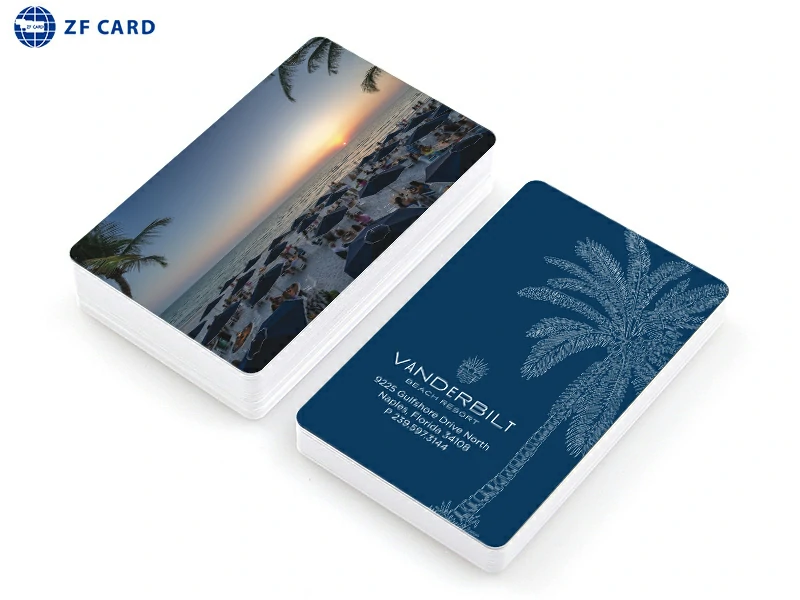
Explore ZFCARD's custom RFID card range to compare card materials, chip options, printing, finishes and personalization features before preparing the final RFQ.
Separate Artwork, Personalization and Chip Data
One of the most common RFQ weaknesses is placing every requirement into one mixed file. Separate the files by function so each can be checked and revised without changing unrelated information.
7. Prepare the Static Artwork Package
Static artwork contains the logos, backgrounds and fixed text used on every card. Supply front and back files with finished size, bleed, color mode and defined brand or spot colors.
Add a visible revision number to each file and the RFQ. “Final” is not a reliable identifier when several versions are exchanged.
8. Define the Variable Printing Data
Variable printing may include names, employee numbers, departments, photographs, membership IDs, barcodes, QR codes or serial numbers.
Provide one structured row per card, clear headings and completed sample records. Explain photo matching, allowed blank fields and unique-value rules. For multiple designs, include a field assigning each record to the correct artwork version.
9. Create a Printed-to-Chip Data Mapping
Printed identifiers and electronic identifiers are not automatically the same. A single card may contain a printed number, barcode value, chip UID or CSN, encoded employee ID and database record ID.
The RFQ should state which fields match, which are transformed and which are generated during production.
A simple mapping structure can look like this:
| Printed ID | Barcode Value | Chip UID | Encoded Employee ID |
|---|---|---|---|
| 000001 | EMP000001 | Supplier output | EMP000001 |
The project must define the actual formats and whether the supplier must return a final mapping file for system import and recordkeeping.
Write a Complete Encoding Specification
Encoding should be treated as a defined production operation, not as a general request to “program the cards.”
10. Define What Must Be Read or Written
State whether the system reads only the original UID or CSN, or whether customer data must be written.
For written data, identify:
- The target memory area
- Data length and format
- Fixed or variable content
- ASCII, hexadecimal or another representation
- Any locking requirement
- Whether each card contains different data
Also define the required production output, such as a UID list, encoding-results file, printed-to-chip mapping table or rejected-card report.
Handle Keys and Sensitive Data Separately
If the project uses access keys or authentication data, do not place them in ordinary artwork files or unprotected attachments.
Agree on who provides them, how they are transferred, whether they may be retained and how records are handled after production. The buyer’s system owner should approve this procedure.
Approve a Functional Sample Before Bulk Production
A digital proof confirms layout, but it cannot prove that the finished card works with the buyer’s hardware and software.
11. Define the Proof and Sample Requirements
Specify whether approval requires:
- A digital artwork proof
- A printed appearance sample
- A functional RFID sample
- A pre-production sample with representative printing and encoding
ZFCARD can support design and sample preparation during project evaluation, but the applicable format, cost and conditions should be confirmed for the selected material, chip and data requirements.
Test the Sample in the Actual System
Test the sample with the actual reader, encoder, lock, printer and software. Verify reading, writing, field formats and the relationship between printed numbers, barcodes, chip data and database records.
Physical checks should cover dimensions, mechanical fit, barcode or QR readability, print position, color and finish. For access or hotel systems, test issuance, permissions and replacement rather than only performing a single read.
Use the Approved Sample as the Bulk Reference
Record the sample ID, artwork and data revisions, approval date, approving person and acceptance criteria.
This reference should connect the quotation, purchase order and production release. Any later change should create a new version and trigger a review of cost, lead time and sampling.
Confirm Quantity, Quote Scope and Delivery
A correct technical specification can still produce a misleading comparison if suppliers price different quantities or service scopes.
12. State Quantity and SKU Breakdown
Give the total quantity and a breakdown by:
- Chip
- Material
- Card type
- Artwork version
- Personalization format
- Delivery batch
Include spare cards where needed. Ten thousand identical cards and twenty designs of 500 cards can involve very different setup and personalization work.
Confirm MOQ and Quote Inclusions
A general starting MOQ for ZFCARD card projects is 500 cards, but the applicable minimum should be confirmed for the selected chip, material, shape, printing process and personalization requirement.
Ask whether the price includes:
- Card production
- Single- or double-sided printing
- Variable data processing
- Chip encoding
- Samples
- Setup or tooling
- Packaging
- Freight
- Taxes and import charges
Compare suppliers on the same scope rather than only the headline unit price.
Separate Approval, Production and Transit Time
Do not treat the complete order as one undivided delivery period. Separate:
- Specification and artwork approval
- Sample preparation and shipping
- Buyer testing and approval
- Bulk production
- Final transportation
Indicative order-cycle windows may be 3–7 days for small orders and 15–30 days for larger orders, but the actual schedule should be confirmed after chip, customization, encoding and approval requirements are fixed.
Copy-and-Paste Custom RFID Card RFQ Checklist
Use the following fields to prepare an RFQ or supplier briefing:
- Application and workflow: __
- Reader, encoder, lock and system model: __
- Frequency, protocol and exact chip: __
- Read, write, memory and security requirements: __
- Card size, thickness, shape and tolerance: __
- Material and use environment: __
- Printing, finish and physical add-ons: __
- Static artwork file names and versions: __
- Variable printing fields and data-file version: __
- Chip encoding rules and printed-to-chip mapping: __
- Quantity, sample type and acceptance criteria: __
- Quote scope, packaging, delivery batches and destination: __
Add the RFQ revision number, responsible contact and requested approval date to the top of the document. Before releasing production, verify that the purchase order references the same revision as the approved sample.
Conclusion
A complete RFID card RFQ defines compatibility, construction, artwork, data relationships, production scope and acceptance criteria—not only price.
Begin with the reader and workflow, separate printed and encoded information, and test a representative card in the actual system. Use the approved sample, artwork and data versions as the controlled reference for the purchase order and bulk production, whether ordering blank cards or fully customized RFID cards.
FAQ
Can a manufacturer identify an RFID chip from an existing card?
A working sample can support identification and testing, but it may not reveal every protocol, security or data requirement. Provide the reader or system model and any available technical documentation as well.
When is a digital proof sufficient?
A digital proof may be sufficient for a layout-only revision on an established repeat order. A new chip, material, artwork, encoding rule or system normally requires a physical and functional sample.
Who should control the printed-to-chip mapping file?
The buyer should define the field relationships, while the manufacturer records production-generated values. The final approved mapping file should be retained by the buyer’s system owner for import, audits and replacements.
How should multiple card designs be managed in one order?
Assign each design a unique SKU or artwork revision, state its separate quantity and include a design identifier in the personalization data. Do not rely on file names such as “final” or “new version.”
What should be retained for future repeat orders?
Keep the approved sample reference, chip specification, artwork revision, encoding instructions, mapping file, acceptance criteria and packaging details. A repeat order should reference this controlled record rather than depend on visual matching alone.