

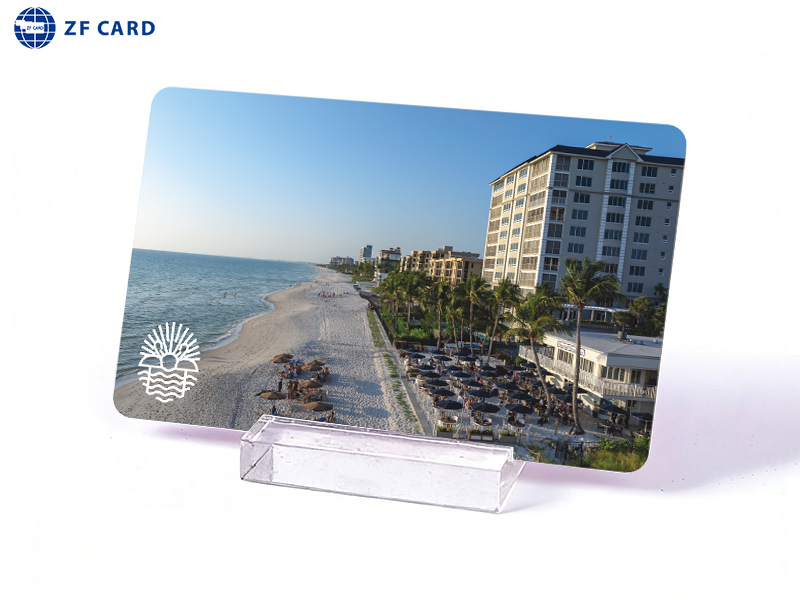
RFID cards may look alike while using different technologies. Card selection starts with how a card will be used and what the system requires. From there, you can compare suitable options and test a sample before ordering in bulk.
What Makes Up an RFID Card Specification?
A card specification covers the technology inside an RFID card as well as its finished appearance. It usually includes four groups of information:
- Frequency and protocol: Frequency refers to the radio band a card uses, such as LF, HF, or UHF. Different bands suit different reading arrangements, from presenting a card near a reader to reading it farther away. Actual reading distance also depends on the reader, antenna, and surroundings. Protocol refers to the communication standard used by a card and reader. Cards operating at the same frequency may still use incompatible protocols. For more on the interaction between card and reader, see how RFID cards work.
- Chip and functions: Chip choice affects data capacity and available functions, including authentication. A function also needs support from the reader and system before it can be used.
- Card data and encoding: Some systems read a number from the chip, find the person or item linked to that card, and then allow entry or record an event. Other systems also need specific data written to a card in a set format. Writing such data is called encoding. Adding a card to a system and assigning it to a user are separate steps.
- Physical specifications: Material, size, thickness, and surface finish describe the finished card. Printed details may include a logo, photograph, text, or individual number.
Step 1: Define the Application and Reading Conditions
Before comparing card options, note four aspects of everyday use:
- Purpose: What will each card identify, such as a person, hotel guest, vehicle, or item? What action should follow a successful read?
- Reading method: Will someone tap a card, hold it near a reader, or pass a reading point without stopping? Will cards be read individually or several at once?
- Working distance: How far from the reader should a card work during normal use? Record an approximate distance or range based on the expected card and reader positions.
- Site conditions: Will the reader be installed indoors or outdoors? Is metal or moisture present near the reading point? Will cards be kept in wallets, worn on lanyards, or attached to objects?
Together, these details describe the reading task and provide a basis for comparing card technologies.
Step 2: Identify the Technology Constraints
The next information to gather depends on whether you are replacing cards in an existing system or planning a new one.
For an Existing System: Check What It Supports
Collect the reader or lock model, available system documentation, and a working card sample. Note any brand, model, or number printed on the card. Such markings can help with identification, although appearance alone cannot confirm which chip is inside. If the reader or lock model is unclear, photograph the device label.
Ask the system provider or installer which cards the system accepts, whether new cards need encoding, and how cards are issued and added. With confirmed requirements and an existing sample, a card supplier can assess whether a suitable card is available for testing.
For a New System: Define What the Card and Reader Must Support
Use the reading conditions from Step 1 to set technical requirements. Specify whether one card or several must be read at once, what information the system needs from each card, and how cards will be added or replaced. These requirements can help narrow the options in Step 3.
Step 3: Compare LF, HF and UHF Options
When comparing RFID card options, use frequency to narrow the choices. Card type and reader capabilities determine which options merit further consideration. The situations below suggest when to evaluate each option; they do not settle the choice on their own.
| Option | Frequency | When to evaluate it | What to confirm |
|---|---|---|---|
| LF | Commonly 125 kHz | An existing system uses LF, or LF is being considered for close range reading of one card at a time. | Which specific card type the reader supports. |
| HF | 13.56 MHz | An existing system uses HF, or a project is considering card data, authentication, or NFC interaction supported by a particular HF card and reader. | Which chip, protocol, and functions the card, reader, and system support. |
| UHF | Varies by region | A project needs to assess reading cards at a greater distance or reading several at one point. | Applicable regional frequency, reader arrangement, and performance under site conditions. |
For an existing system, start with technologies supported by its reader. For a new system, assess card and reader options together against the task and conditions recorded in Step 1.
Step 4: Specify Security and Finished Card Requirements
Once the technology options are narrowed, define the requirements for the card you intend to order.
Define the Security Requirements
Consider who may use each card, whether users need different access permissions, and what should happen if a card is lost. Such requirements help the system provider assess whether a particular card authentication function is needed and whether the reader and system support it. A function listed for a chip is relevant when the system can make use of it.
Define the Finished Card
Specify card size, material, thickness, and surface finish. When replacing existing cards, note any dimensions or design details the new cards should match. Include required colors, logos, text, photographs, or individual numbers. If cards will be printed after delivery, provide the printer model so the card supplier can assess suitability.
Share confirmed system requirements and finished card details together, giving the supplier a clear specification for the sample. For a more detailed list of information to prepare for a custom order, use the custom RFID card order checklist.
Step 5: Test a Sample in the Intended System
Before ordering in bulk, test a sample made to the proposed specification. Use the reader or lock intended for daily use, with the card at its expected reading distance and position.
Have the person responsible for issuing cards add the sample through the usual system process. Repeat the read at the intended position, then complete the normal process for issuing and using the card to see whether it performs the required action. If a project uses different reader models, include each model in testing. Check card size, printing, and finish against the requested specification.
Record the card specification, reader models, test conditions, and results. Address any problems and test a revised sample before approval. Keep the approved sample and written specification as references for the bulk order.
Conclusion: Confirm the Card Specification Before Ordering
A suitable RFID card meets the application requirements and works in the intended system. Before placing a bulk order, share the confirmed chip or card type, encoding requirements, finished card specification, and approved sample or test results with the card supplier.
To discuss a card specification or sample with ZFCARD, contact the team and include the system information and card requirements you have collected.
FAQ
What if I cannot find the model of my existing card?
Keep a working card sample and note any markings on it. Collect the reader or lock model, or photograph its label if the model is unclear. The system provider or installer can use this information to check which card types the system accepts.
Should I order blank or pre-encoded cards?
It depends on who prepares new cards for your system. If your team or system provider will write any required data, compatible blank cards may be appropriate. If the card supplier must write data before delivery, provide the encoding specification. Cards may also need registration in the system.
Will a sample that works with one reader work with all my readers?
A different reader model or configuration may produce a different result. Test the sample with each reader type you plan to use before approving the bulk order.